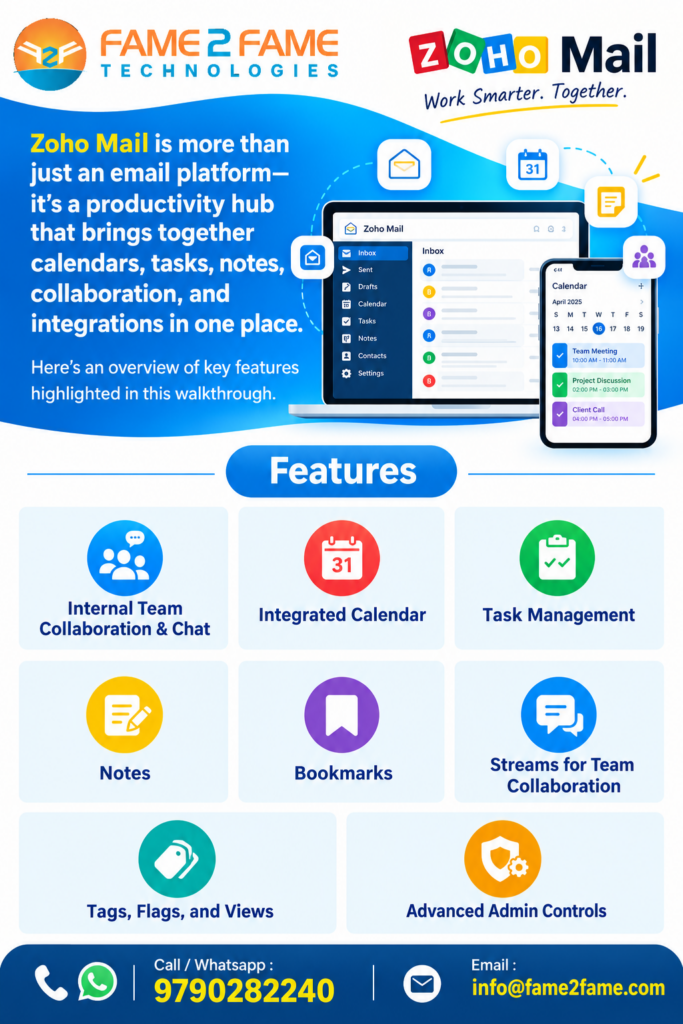
Zoho Mail is more than just an email platform—it’s a productivity hub that brings together calendars, tasks, notes, collaboration, and integrations in one place. Here’s an overview of key features highlighted in this walkthrough.
Internal Team Collaboration & Chat
Streams: A social-media-style collaboration tool built right into your email client. Instead of forwarding emails to colleagues, you can tag teammates (@mention), leave comments directly under email threads, share drafts, and have open discussions in a collaborative feed.
Zoho Cliq Integration: For real-time, one-on-one, and group chatting, Zoho Mail natively integrates with Zoho Cliq. You can chat with your team, start audio or video calls, and share files without leaving the mail interface.
Sticky Notes
Zoho Notes Module: Available right on the side panel. You can type up standard text notes, paste images, attach files, or even select text from an email and instantly convert it into a note.
Sticky Note View: Any note can be pinned directly onto your main webmail screen as a virtual sticky note. It will stay floating on your interface even if you refresh the page.
Drive & Cloud Storage
File storage is handled seamlessly via Zoho WorkDrive. Mail plans come with designated per-user storage allocations. The inbox includes an integrated attachment viewer that groups all received files into categories (documents, images, PDFs), allowing you to review or save them to your cloud drive instantly.
Integrated Calendar
- Access your calendar directly from Zoho Mail without opening a new window.
- View multiple employee calendars in one place and toggle visibility on or off.
- Create meetings with built-in integration to Zoho Meeting, as well as third-party options like Zoom and Microsoft Teams.
- Switch between daily agenda view and working hours view for more focused scheduling.
Task Management
- Quickly create personal tasks (e.g., “wash my car”) directly within Mail.
- Organize tasks into categories such as New, On Hold, or Completed.
- View tasks across the entire Zoho ecosystem, including Zoho Projects, Zoho Desk, Zoho People, and Zoho Connect, in a unified interface.
- Create shared boards for team collaboration, assigning tasks to colleagues and tracking progress—all without leaving your inbox.
Notes
- Capture meeting notes, ideas, or action items with rich formatting.
- Attach screenshots or files to notes.
- Share notes with teammates and collaborate in real time using built-in comment threads.
Bookmarks
- Save and organize frequently used links within Zoho Mail.
- Categorize bookmarks (e.g., demos, internal tools) and share them with other team members.
- Access resources instantly while staying inside the email interface.
Tags, Flags, and Views
- Apply tags (e.g., Follow-ups) and color-code them for quick visual recognition.
- Customize your inbox to highlight important emails in red or filter by tag/flag.
- Adjust the layout to view emails on the right, bottom, or in a separate window.
Customization and Shared Mailboxes
- Configure the compose window to match your preferred style—even replicate Gmail’s compose look.
- Set up shared mailboxes for teams, ensuring multiple people can monitor and respond to emails together.
- Track mailbox activity to see who viewed, deleted, or responded to emails.
Advanced Admin Controls
- Override user settings when necessary (e.g., enable out-of-office replies for employees on vacation).
- Delegate or take over mailboxes when staff are unavailable.
- Use retention policies to recover permanently deleted emails—even after they’ve been removed from the trash.